Best Free Cybersecurity Tools for Beginners (2026)
This guide breaks down free cybersecurity tools that beginners actually use in real-world learning environments — from network analysis to system protection.
Here’s the truth: you don’t need paid software to learn cybersecurity properly.
Cybersecurity looks intimidating when you’re just starting out. Expensive tools. Complex dashboards. People acting like you should already know everything.
In this article, I’ll walk you through the best free cybersecurity tools for beginners in 2026. These are beginner-friendly, widely used, and actually worth your time.
Nothing fancy. Just tools that help you understand how things really work.
If you’re still setting up your development environment, check out our guide on Essential Free Programming Tools in 2026.
Why Beginners Should Care About Cybersecurity Tools
Cybersecurity isn’t just for SOC analysts or large enterprises. If you use the internet, you’re already part of the ecosystem.
Think about it:
- You connect to public Wi-Fi
- You download files
- You use Linux or Windows
- You’re learning networking or programming
These tools help you see what’s happening behind the scenes.
And once you understand that, everything else in tech starts making more sense.
Wireshark – Network Traffic Analyzer
What it does:
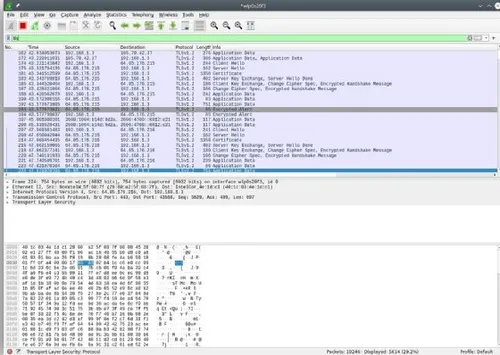
Wireshark captures and analyzes network traffic in real time.
It looks overwhelming at first. But once you understand the basics, it becomes incredibly powerful.
Beginner Use Cases:
- Learning HTTP, DNS, and TCP
- Understanding packet structure
- Identifying unusual traffic
Platforms: Linux, Windows, macOS
Difficulty: Beginner → Intermediate
👉 Download from the official site: https://www.wireshark.org/download.html
Nmap – Network Scanner
What it does:
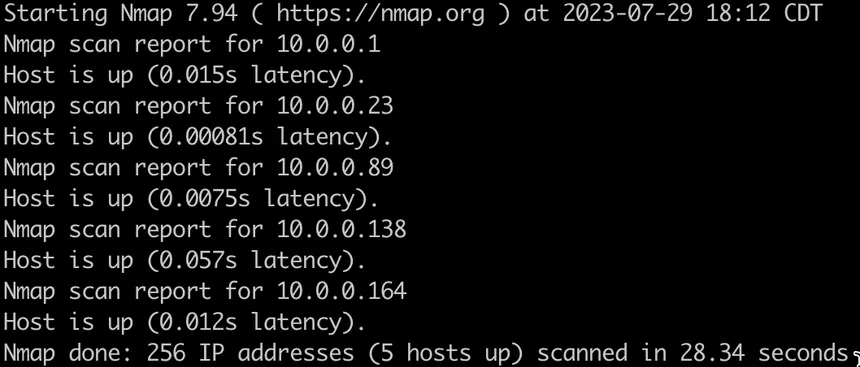
Nmap scans networks to discover open ports and running services.
This tool shows up everywhere in cybersecurity.
Beginner Use Cases:
- Scanning your own machine
- Learning about open ports
- Practicing in legal lab environments
Platforms: Linux, Windows, macOS
Difficulty: Beginner-friendly CLI
👉 Official download: https://nmap.org/download.html
ClamAV – Open-Source Antivirus
What it does:
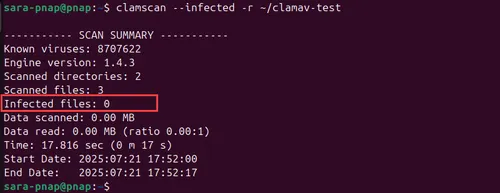
ClamAV detects malware and malicious files.
Linux users often assume antivirus isn’t needed. That’s risky thinking.
Beginner Use Cases:
- Scanning downloaded files
- Learning malware detection basics
- Checking directories
Platforms: Linux, Windows
Difficulty: Beginner
👉 Official site: https://www.clamav.net/downloads
UFW – Linux Firewall
What it does:
UFW (Uncomplicated Firewall) simplifies firewall rule management on Linux.
Beginner Use Cases:
- Blocking unnecessary ports
- Securing SSH
- Protecting local machines
Platform: Linux
Difficulty: Beginner
👉 Official documentation: https://help.ubuntu.com/community/UFW
Metasploitable – Vulnerable Practice Lab
What it does:
Metasploitable is an intentionally vulnerable VM for safe security training.
Important: Only use this in isolated lab environments.
Beginner Use Cases:
- Practicing vulnerability discovery
- Learning how exploits work
- Using Metasploit safely
Difficulty: Beginner → Intermediate
👉 GitHub repo: https://github.com/rapid7/metasploitable3
Final Thoughts
Cybersecurity isn’t about collecting tools.
It’s about understanding how systems behave, where they fail, and how to protect them.
These tools give you a real foundation.
Experiment with them. Don’t just install them.
That’s how you grow.